10 ways to boost engagement on TikTok LIVE
Engagement is the measure TikTok uses to decide who sees your stream: likes, comments, follows, gifts and how long viewers stay. The 10 tips below are methods tested on small streams that need no extra budget.
1. Say what is happening in the first thirty seconds
A viewer who joins your stream decides within three seconds. Every few minutes, repeat in one sentence what is on screen and how to join: “A horse carrying your name hits the track when you send a gift.” For a newcomer, every moment is the first moment. The stream title does this job too: put the game’s name and the one-sentence rule in the title.
2. Mention viewers by name
Reading out like, follow and gift notifications is the cheapest form of interaction. Live stream games do it automatically: Kaçış Koşusu (Escape Run), the viewer’s name is written above the runner, Karpuz Patlatma (Watermelon Burst), the viewer who adds the last band is named on screen. Read the winner out loud at the end of the round too; saying “welcome” to a first-time participant turns a follow into a lasting one.
3. Never leave the screen empty
In chat-focused streams, long silences drive viewers away. A self-running game (Jokey Kupası (Jockey Cup), Son Sığınak (Last Shelter), Balıkçı Koyu (Fishing Bay)) fills the screen, and things keep happening while you talk. Since the streamer does not play, your attention stays on the chat.
4. Short rounds, frequent results
Viewers stay when they know when a result is coming. Four- or five-minute rounds with a result screen after each one extend watch time. In most MERRY games the lobby is under a minute and a round lasts a few minutes; “don’t miss the next round” is a natural call to action. Don’t waste the break between rounds either: congratulate the winner, ask who is joining the next round, and remind newcomers of the rules in one sentence.
5. Set the like threshold to the size of your stream
Keep the threshold low in a small stream so everyone gets a character; raise it in a busy stream so the screen does not overflow. You set the like threshold, and whether a follow grants entry, from the game panel. When a viewer who cannot send gifts still sees their name on screen, the stream gets an “everyone is in” feel.
6. A gift story, not a gift target
“Let’s hit this many gifts” targets feel like a debt to viewers. Explaining what a gift does in the game works better: “A rose puts a horse on the track, a perfume gives it wind.” You can find the gift tiers TikTok gift game article.
7. Get viewers to pick a side with team games
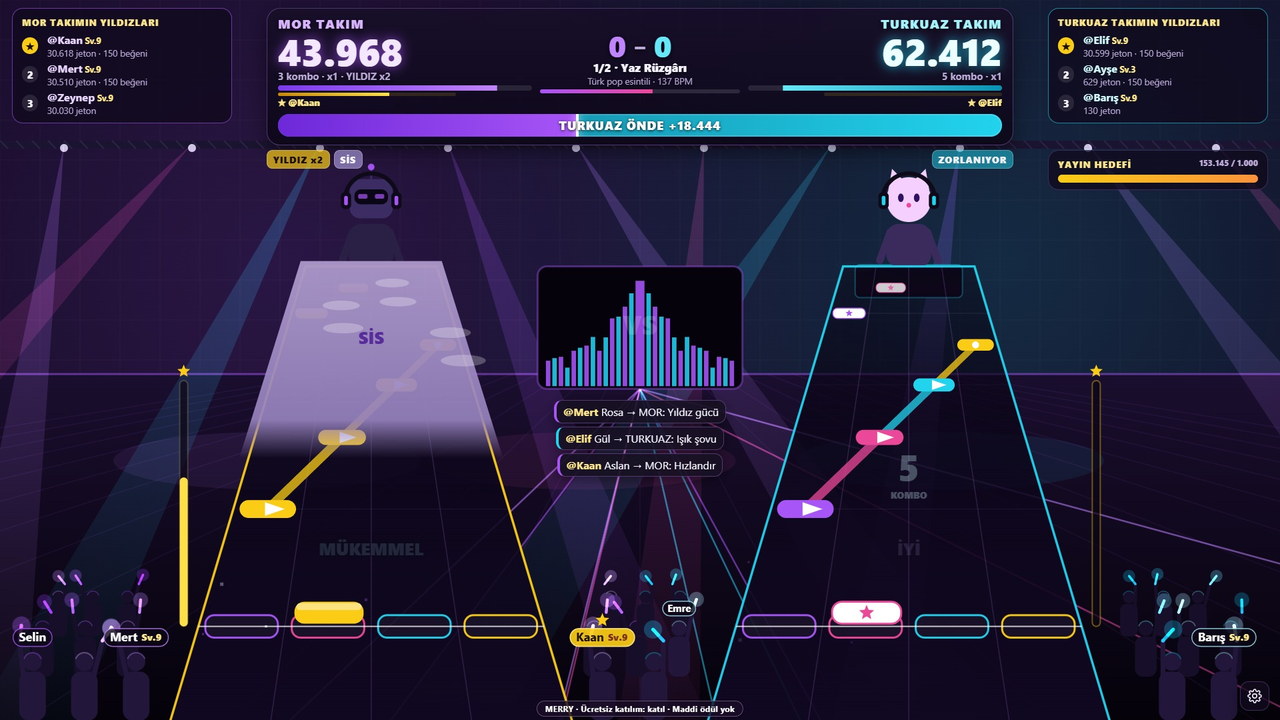
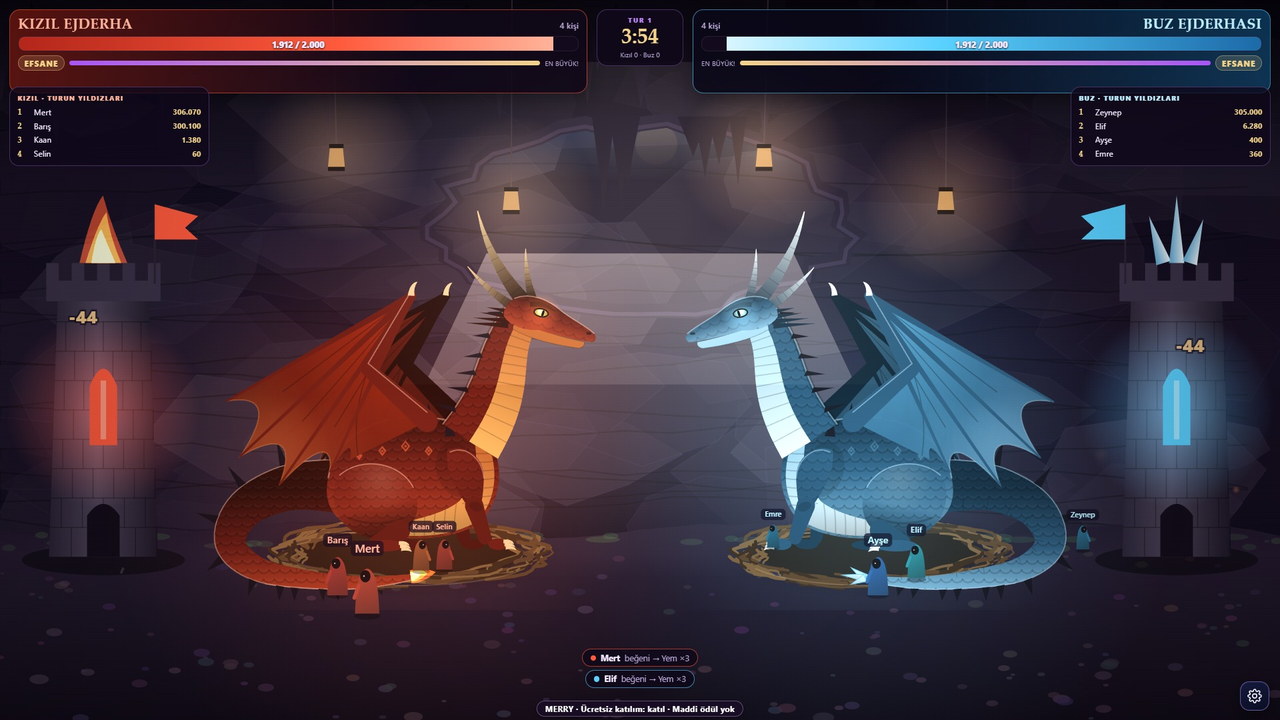
İnsanlar bir tarafı tutunca kalır. (Kızıl ve Buz), Ritim Sahnesi (Rhythm Stage) (Mor ve Turkuaz) ve (kahraman ve dev) yayını ikiye böler; izleyiciler kendi tarafı için yorum yazar, beğeni atar. Sen de taraf tut, tartışmayı sıcak tut.
8. A regular stream time and short teaser videos
Same day, same time builds a habit. Before the stream, share a 10–15 second clip of the game’s best moment; after the stream, a short video of the winning round carries viewers over to the next one. The trailer videos on the game pages can be used for this. Put the game’s name and what happens in the stream title (“Jokey Kupası: your gift puts you on the track”); a viewer who lands on you from the For You page knows what to expect from the start.
9. Answer comments, but keep them out of the game
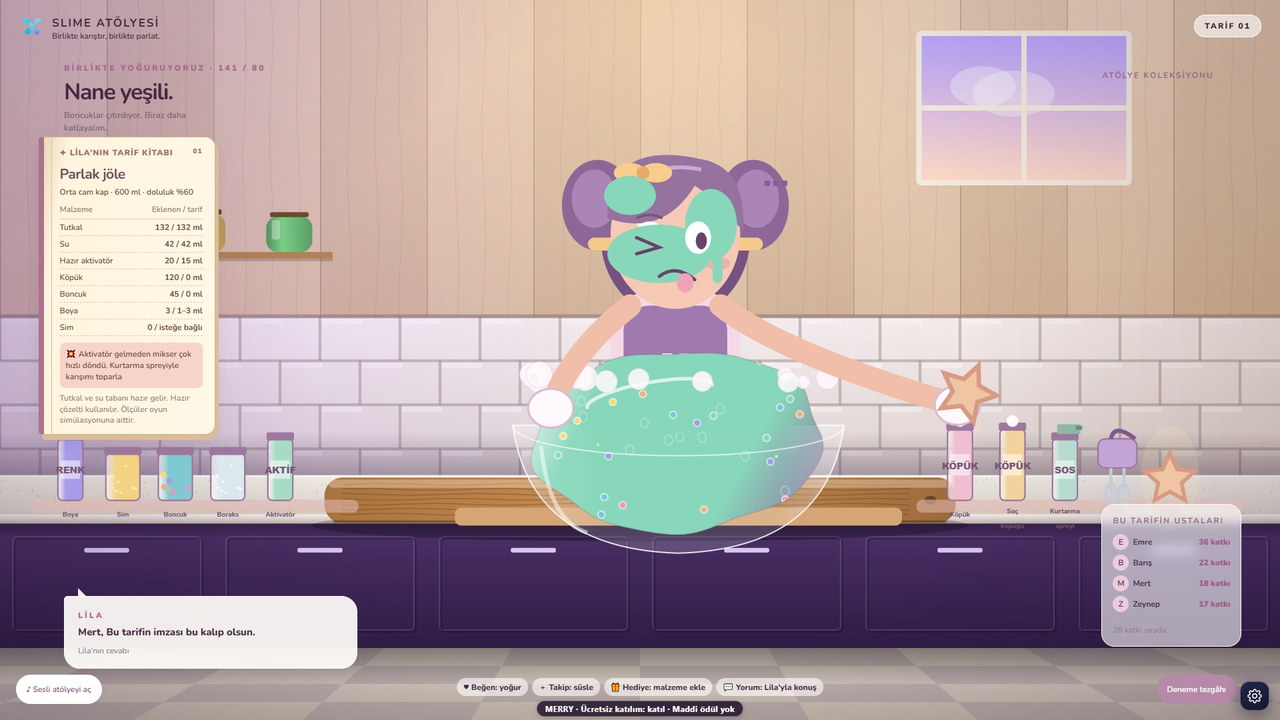
In MERRY games, comments do not affect the game; this is a deliberate choice. Chat does not fill up with game commands, and you can read and reply to comments in peace. If you want comment interaction, Slime Atölyesi (Slime Workshop) is different: Lila answers game-related comments out loud in Turkish.
10. Know the rules, keep your stream safe
The fastest drop in engagement comes with a warning or a restriction. Verify TikTok’s LIVE and gift conditions on your account, and moderate profanity and offensive content. MERRY’s streaming guide brings together the pre-stream checklist and the official sources.
These tips work without a game too; a game just makes each of them easier. If you want to start with a game, setup guide walks through the steps, store shows the licence options.
FAQ
How many viewers do you need for interaction?
It is the ratio that matters, not the number. If five out of five viewers are liking, that is a better signal for TikTok than ten out of a hundred. Because live stream games invite everyone to take part even with a handful of viewers, they work especially well in small streams.
Do I need a camera when the game is on screen?
Not required, but recommended. The stream feels more personal when viewers see both you and the game; in a vertical stream, put the game at the top and the camera at the bottom.
Should I show more than one game in a stream?
One game per stream works better. If you want to switch games, try them on different days and check TikTok’s stream statistics to see which one increases watch time.
How do I keep viewers who do not send gifts?
Leave entry via follows and likes switched on, read out winners by name, ask questions. The game rewards gifts, but it does not make participation depend on them.